Auri — AI Decision Assistant
A context-aware AI system that transforms fragmented information into clear, time-sensitive actions.
Role: Sole Designer
Timeline: Figma — 2024 and Lovable — 2026
Context : Self-initiated project
Tools: Figma, Lovable, Google Calendar API, Gmail
OUTCOME
Auri helps users understand what matters now and what to do next.
Instead of showing more information, it filters and prioritizes real-time signals to support decision-making in everyday situations.
The Problem is Not Information — It’s Decision
Today, people already use multiple tools to manage their lives — Gmail, Calendar, ride apps, academic systems, and more.
However, this information is fragmented across platforms and presented equally, without prioritization.
Calendars show everything, but they don’t tell users what actually matters right now. Users don’t need more information.
As a result, users are still responsible for interpreting information, prioritizing tasks, and making decisions under real-world constraints. They need clarity, timing, and actionable support.
This creates cognitive load, especially in time-sensitive situations.
Auri Turns Fragmented Information into Action
Auri is designed as a personal assistant, not a scheduling tool.
It integrates data from multiple sources, understands context, and surfaces only what matters at the right moment.
Instead of showing full timelines or dashboards, Auri uses a conversational interface to guide users through decisions and actions.
The goal is not to inform users, but to support them in real-life situations — from preparation to execution.
Core Capabilities
Integrate: Auri connects data from Gmail, Google Calendar, academic systems, and contextual signals.
Prioritize: It classifies events into different levels of importance and filters them based on time windows.
Act: It supports real-world actions such as preparing, booking, navigating, communicating, and adjusting plans.
Designing a System, Not Just an Interface
Auri is not only an interface — it is a system that transforms data into behavior.
Instead of generating responses directly, Auri processes fragmented inputs through a structured pipeline to ensure that outputs are grounded, relevant, and actionable.
Data → Structure → Decision → Action
Auri operates through five layers:
Data Sources: Gmail, Google Calendar, academic calendars, location signals, notifications, user preferences, and conversation context.
Data Processing: Raw data is parsed, structured into events, and tracked as dynamic states.
Intelligence Layer: A priority engine, time-based filtering, and context awareness determine what matters at the current moment.
Assistant Layer: The system translates decisions into chat responses, alert cards, and actionable suggestions.
User Actions: The final goal is to support real-world actions such as preparing, booking, navigating, and communicating.
Designing and Building with AI
Define
I defined Auri as a personal assistant rather than a calendar tool.
This included designing the core concept, key features, prioritization logic, and interaction model.
I also developed the brand, including the name Auri and the interface's visual direction.
Designing with AI, Not Just Using AI
From Interface to System
This project started as an interface.
But it became a system.
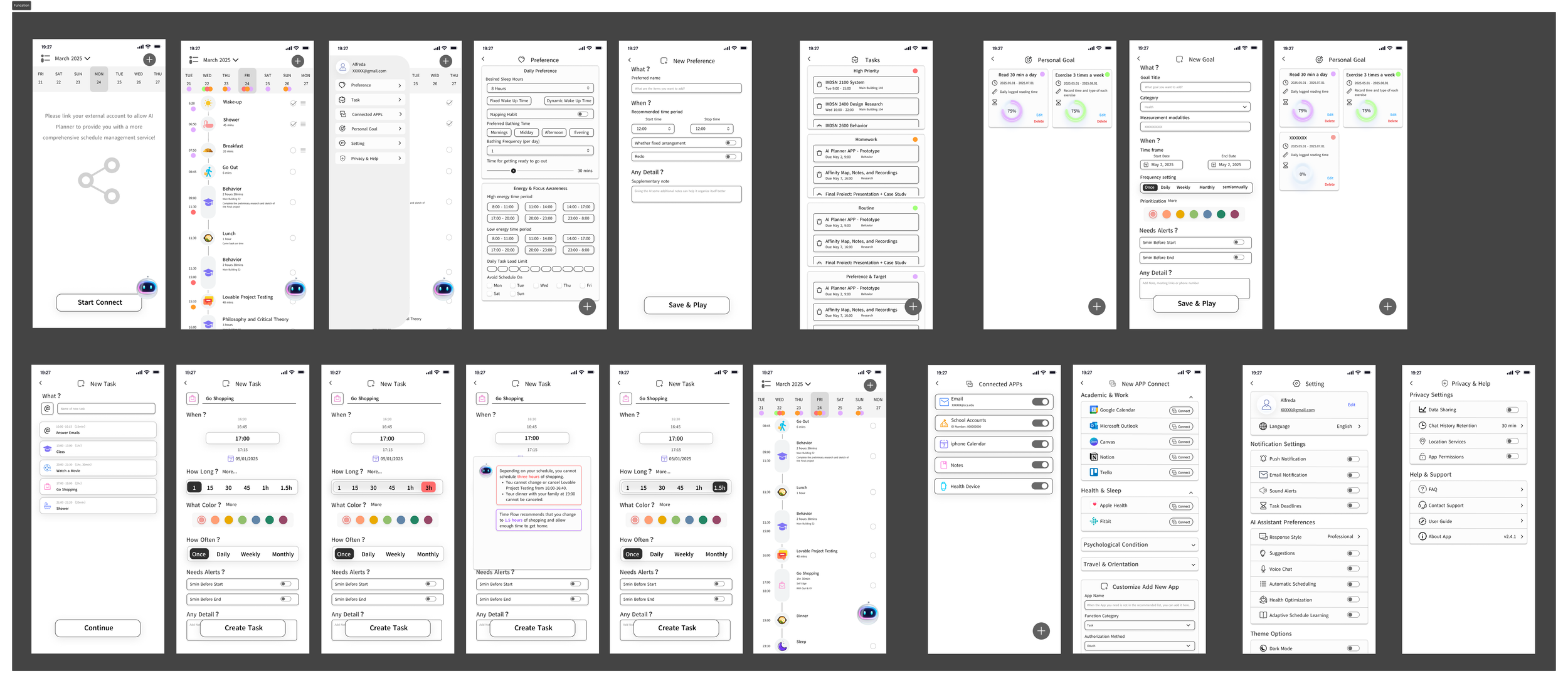
In 2024, I explored Auri as a traditional interface using Figma.
The design focused on:
• Displaying information (calendar, tasks, reminders)
• Manual input and user-driven interaction
• Structuring content visually
At that stage, I could simulate the experience, but I could not build a real system behind it.
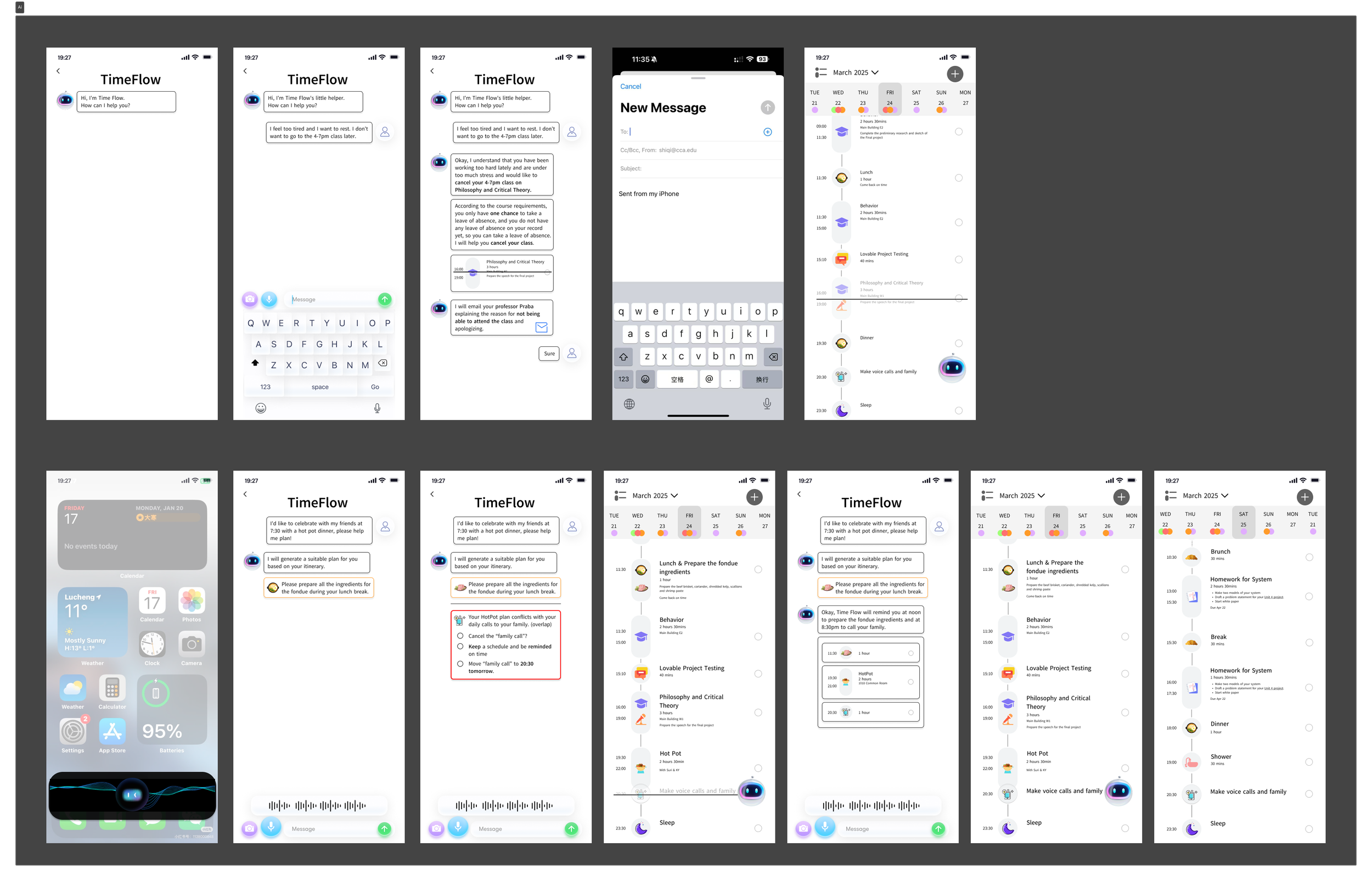
Limitation
The interface required users to:
• Input and manage information manually
• Interpret what matters by themselves
• Navigate through multiple layers of content
This contradicted the original goal:
Not to show information, but to support decision-making.
Design Shift
As AI tools evolved, I realized the problem was not the interface — it was the system.
I shifted the design from:
Information display → Decision support
User input → System interpretation
Manual interaction → Context-aware assistance
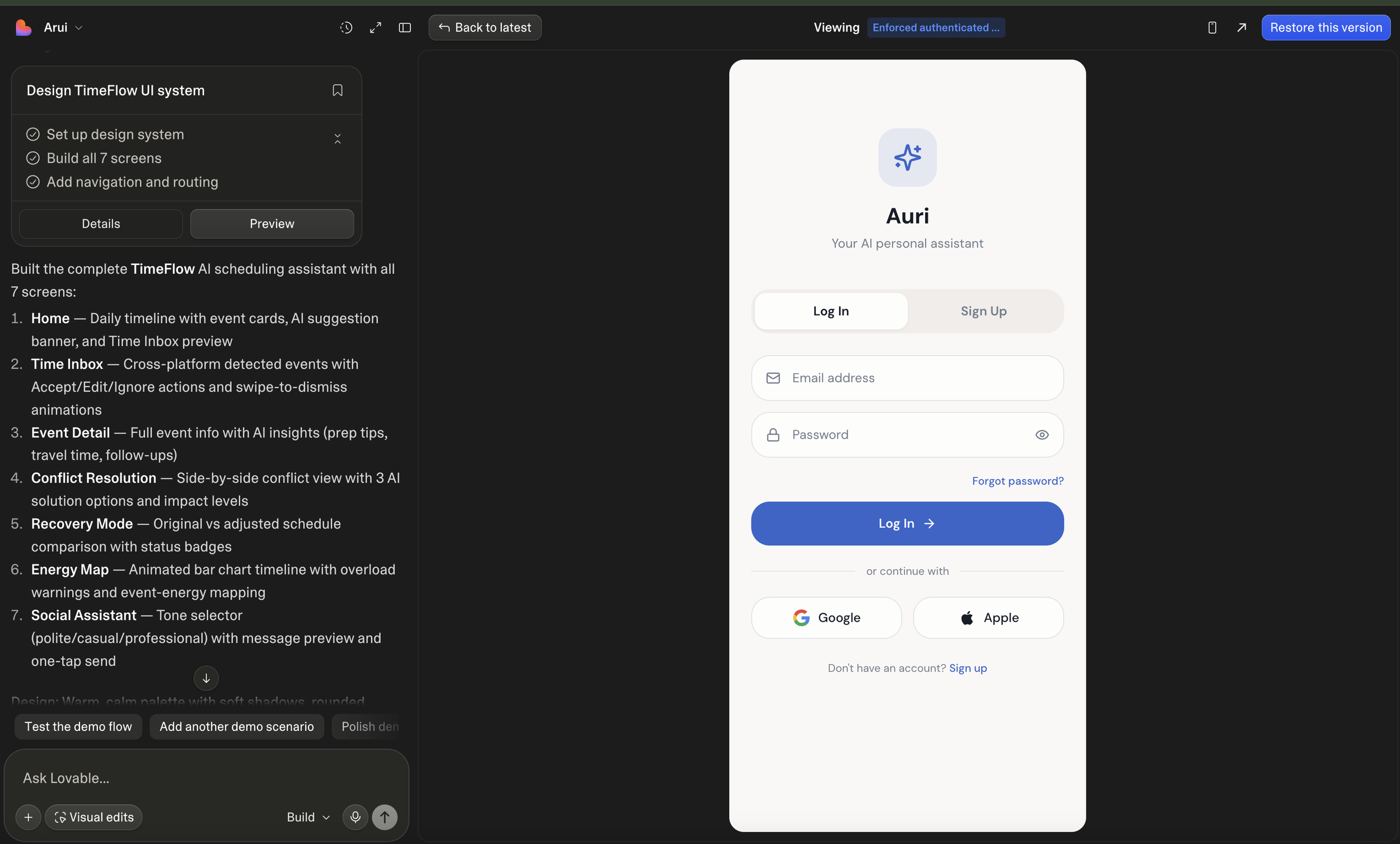
AI was not used to generate UI.
It was used to build system behavior.
I used Lovable to:
• Structure how the system processes information
• Connect real data (Google Calendar, Gmail)
• Define how and when the system responds
This allowed the design to move from a prototype to a functioning system.
Make it Real
A major part of the process involved exploring how to make the system more realistic.
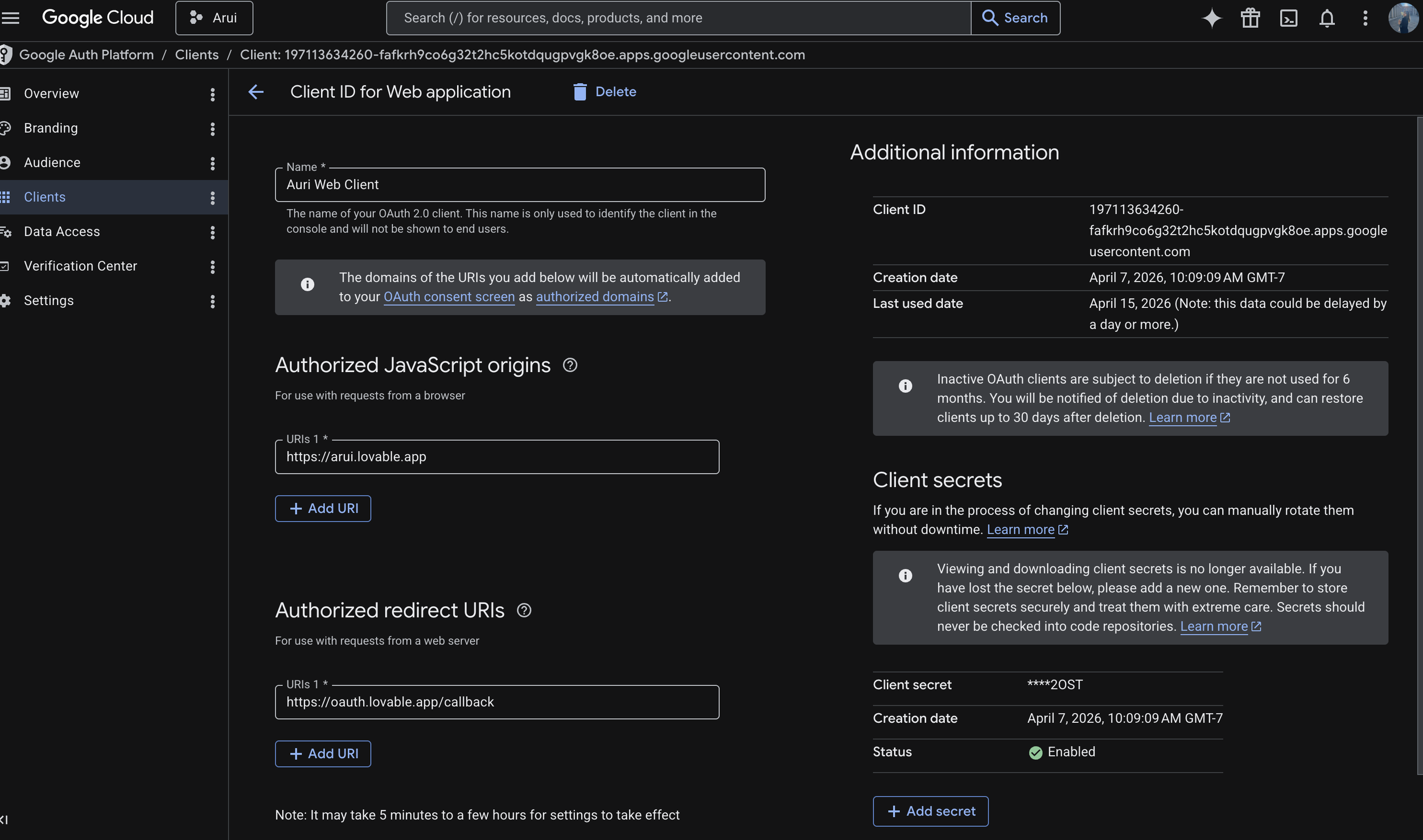
This included:
testing Google account integration (Calendar, Gmail)
exploring data grounding
creating API connections
understanding backend logic
The process evolved from designing interfaces to designing systems and behavior. It is also from UI generation to system design.
My Role as a Designer
The design was not generated by AI.
I defined:
• What data the system should use
• How information is prioritized
• When the system should intervene
• What actions should be suggested
AI-enabled execution, but the system logic and behavior were designed intentionally.
Video Deliverables
log in& Authorization
Set up & Onboarding
Voice & Text Dialogue
User Case - health appointment & Send email
What I Learned
Through this project, I realized that AI is becoming part of the design process itself.
Instead of only designing interfaces, I was able to build and test a working system, which helped me better understand how applications actually function.
I also found that interaction design is shifting — from designing static screens to shaping systems, behavior, and decision-making processes.
Another key learning was the importance of understanding what happens behind the interface, such as data integration, APIs, and system logic.
Working with AI also allowed faster iteration, but required clearer thinking. The outcome depends heavily on how clearly the problem is defined and how effectively the system is guided.
Overall, this project was not just a design exercise, but an exploration of how designers can build more complete and realistic products with AI.
